DAVID Documentation: Gene List Report
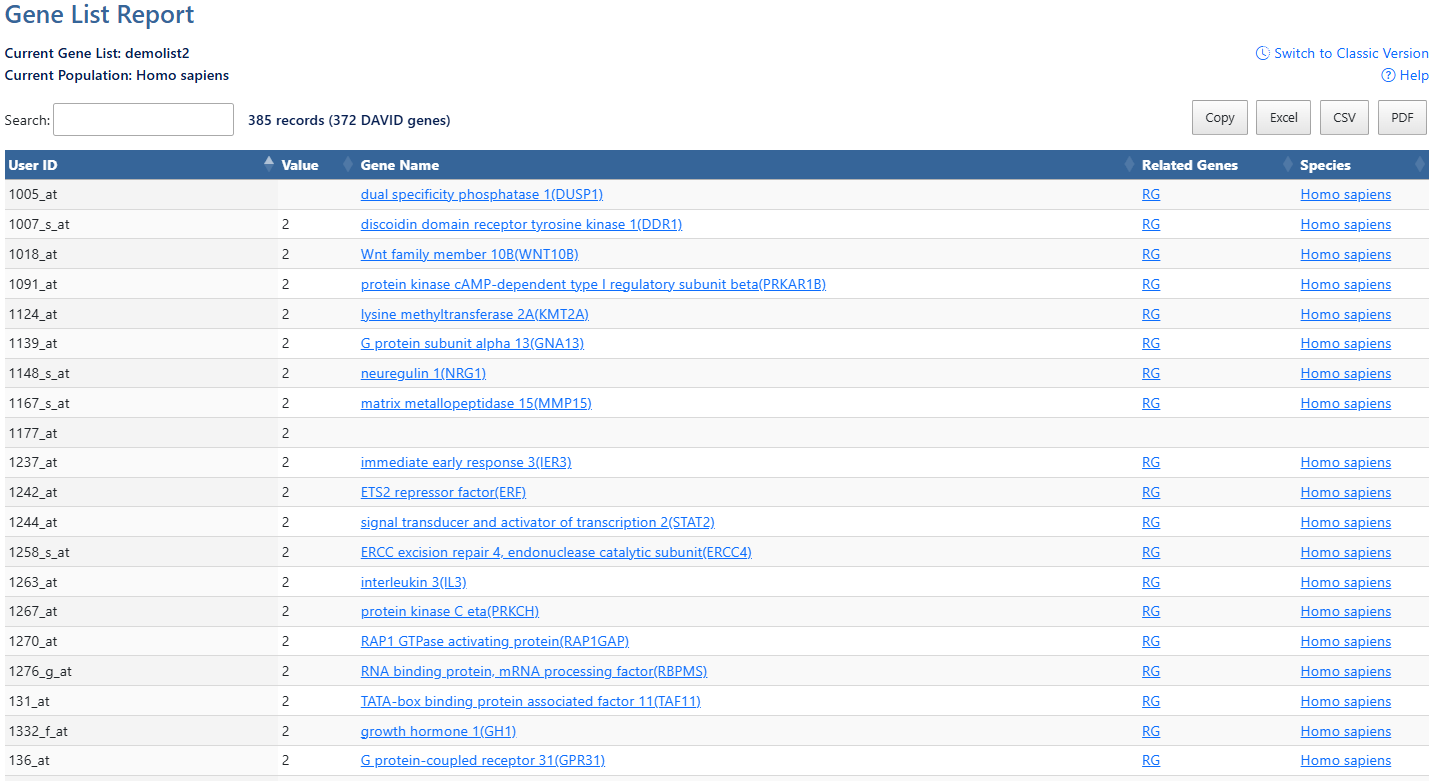
The Gene List Report summarizes genes successfully mapped to DAVID Gene identifiers for the currently selected list. It allows users to review mapped identifiers, associated gene names, species information, and related genes prior to downstream analysis.
-
Current Gene List & PopulationDisplays the active gene list and selected species or background population.
-
Help and Switch to Classic VersionLink to this help page and provides access to the legacy Gene List Report interface.
-
Search and Record CountThe search box filters table results in real time. The record count indicates total entries and the number of DAVID genes mapped.
-
Export OptionsResults can be exported using Copy, Excel, CSV, or PDF. Exports reflect the current filtered and sorted view.
-
User IDUser uploaded gene ID name.
-
Sortable ColumnsClick any column header to sort by User ID, Expression Value, DAVID Gene Name, Related Genes (RG), or Species.
-
ValueUser uploaded expression value. (Optional)
-
Gene NameClick the gene name link to explore the full gene report. For more information, see the Gene Report documentation page.
-
Related Genes (RG)Click the RG link to explore functionally related genes associated with each entry. For more information, see the Related Genes documentation page.
-
SpeciesClick the Species link to go to NCBI taxonomy entry.